
Blog · 4 March 2025
How to Check Image DPI

How to Ensure Your Images Print Clearly
When submitting images for print, ensuring they are of the highest quality is essential. Low-resolution or incorrect colour formats can lead to blurry, dull, or inaccurate prints. To check the image's DPI (dots per inch), you can open the file in an image editing software and look at the image properties or resolution settings.
Here's what you need to know to supply print-ready images that will look crisp and vibrant.
What Does 300 DPI Mean?
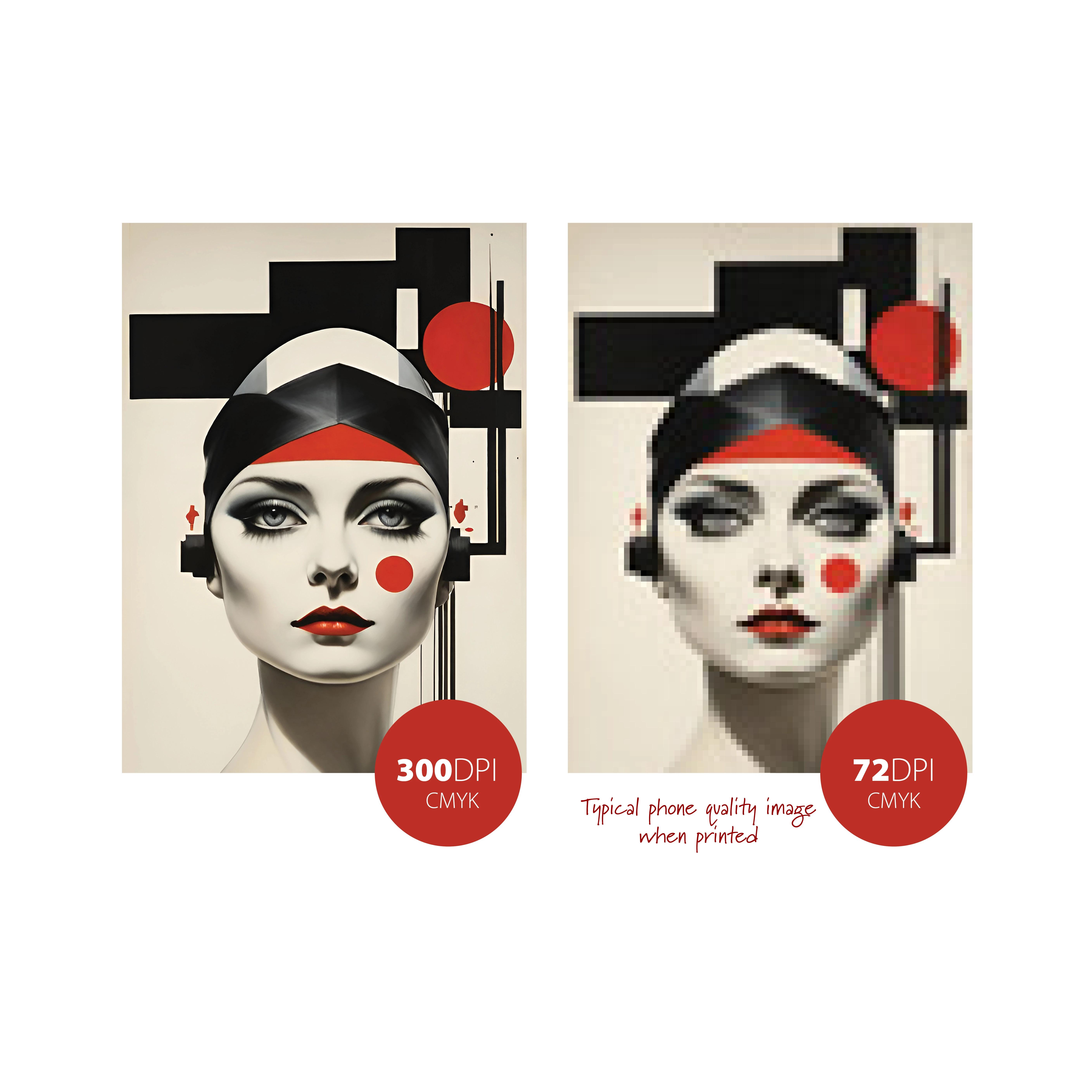
We request images to be supplied in 300 DPI CMYK format for the best print quality.
DPI (Dots Per Inch) refers to the number of dots printed per inch of an image. The higher the DPI, the greater the level of detail and sharpness.
While 72 DPI images may look fine on screens, they are not suitable for print. Images saved at 72 DPI lack the resolution required for high-quality printing and will appear blurry, grainy, or pixelated when printed.
To ensure sharp and professional prints, always provide images at 300 DPI.
Why CMYK Instead of RGB?
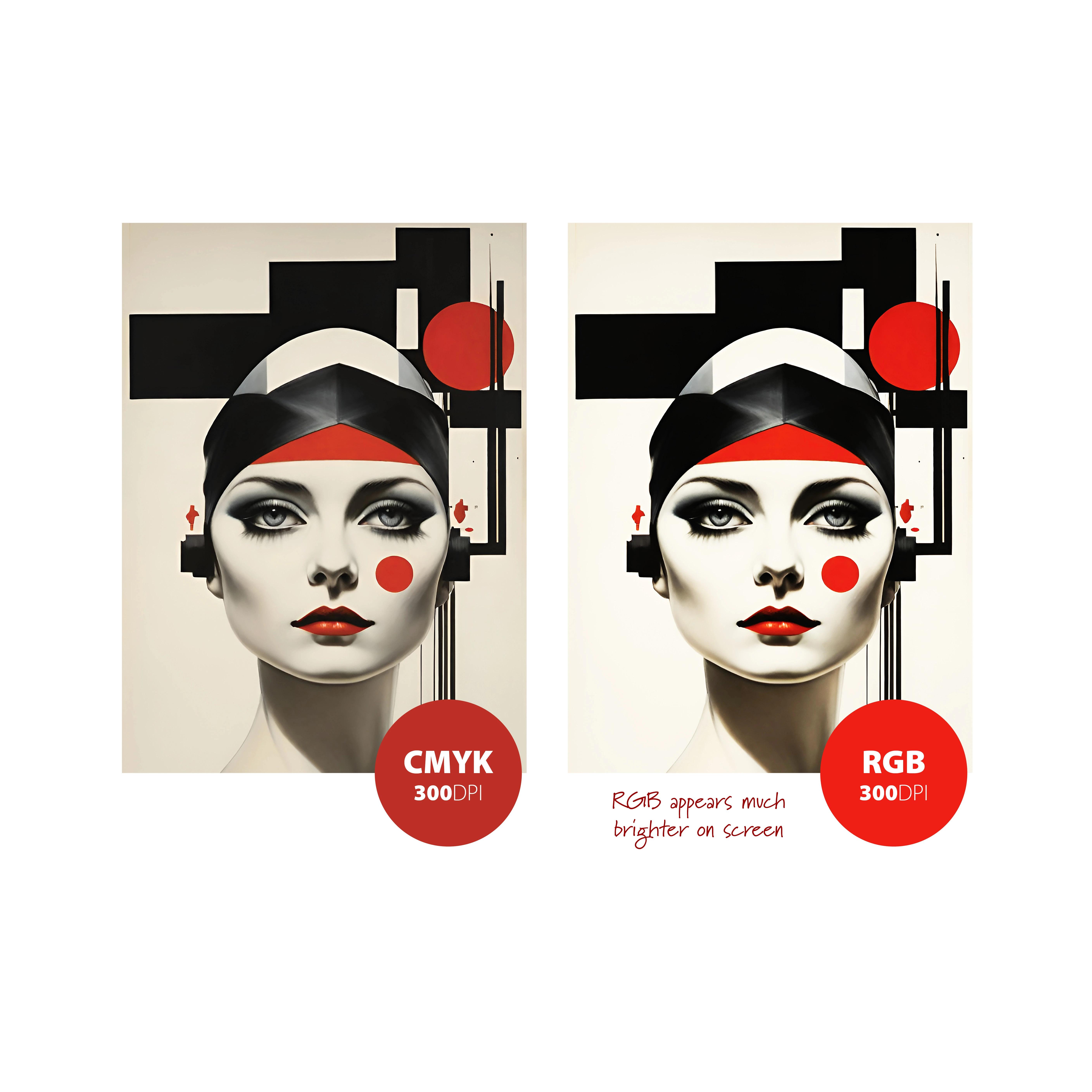
CMYK (Cyan, Magenta, Yellow, and Black) is the standard colour mode for print because it produces true-to-life colours on printed materials.
When designing for digital screens, images are displayed in RGB (Red, Green, Blue) mode, which works by adding light to create colours. However, printing uses CMYK ink, which subtracts light from paper. This means colours will not always appear exactly the same as they do on your screen.
If possible, we recommend converting your images from RGB to CMYK before submitting them. This allows you to make any necessary adjustments to colour differences that may occur during the conversion process.
What About Spot Colours?
If your job includes spot colours (such as Pantone inks) that are not intended for standard CMYK printing, please contact us directly for pricing and availability. Spot colours require a different printing process to achieve specific shades that CMYK cannot replicate precisely.
Need Help? Get in Touch!
Not sure if your images are print-ready? We're here to help! If you have any questions on how to check image DPI, resolution, colour formats, or spot colours, reach out to us, and we'll ensure your images are correctly set up for a flawless print.
By following these guidelines, you can ensure your images print crisp, clear, and true to colour every time.
More from the blog


Got a print project in mind?
Our Killarney studio can take it from artwork to finished print. Tell us what you need.
Get a quote